What this replaces
A spreadsheet that's grown past what one person can safely maintain, scattered forms feeding no single source of truth, manual copy-pasting between tools, or a team coordinating through Telegram messages that no one can search later. See When Should a Business Replace Spreadsheets with an Internal Tool? for how to tell if you've actually hit that point.
Examples from our own systems
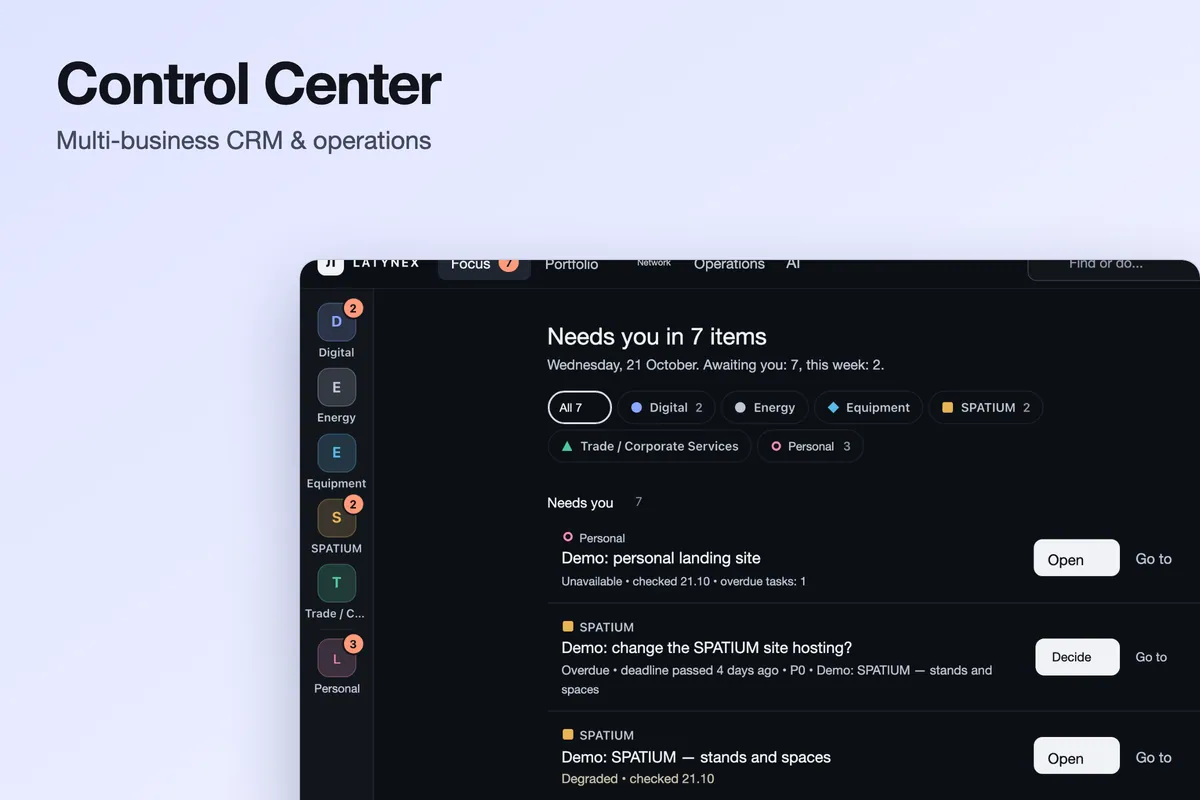
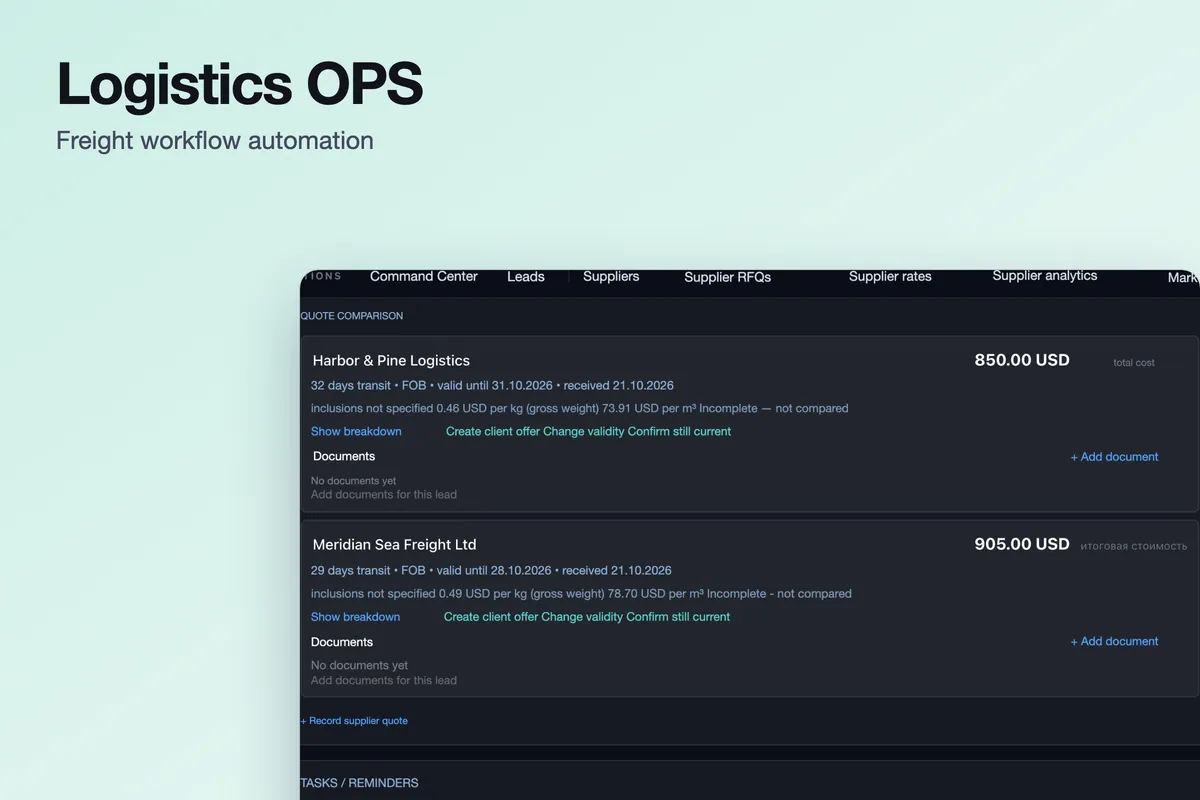
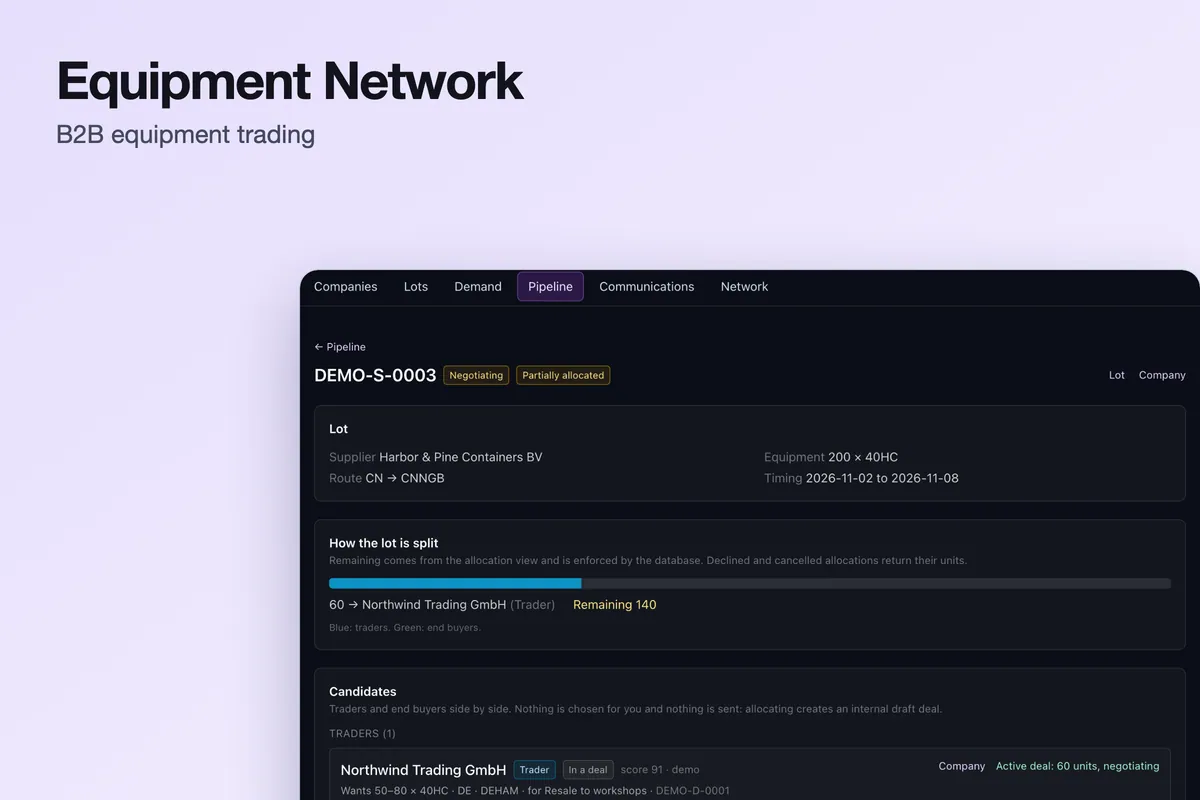
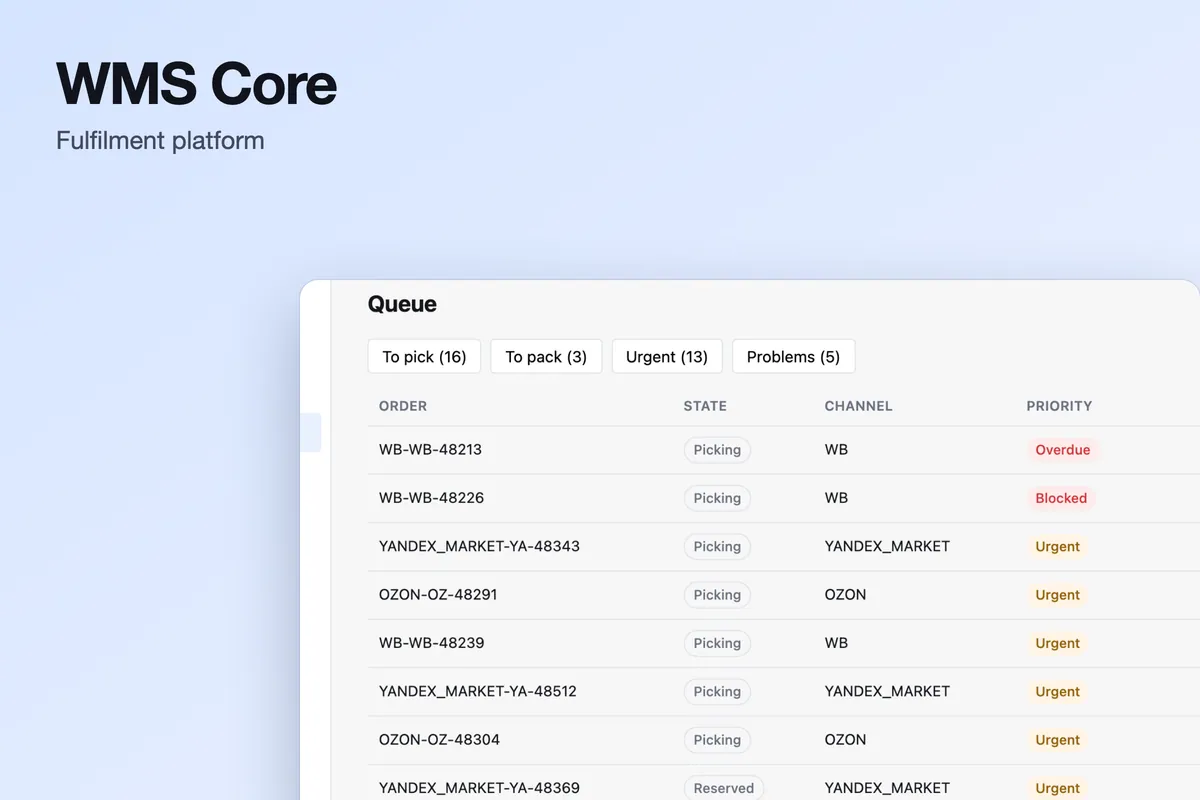
The cards above are our own systems, not client projects. All are private with no public demo, and the screenshots use synthetic data. Logistics OPS is used inside LATYNEX; Equipment Network is shown on a demo instance and is not described as live in production; WMS Core is a warehouse platform foundation that has not yet been deployed at a customer warehouse; Control Center is a private internal application.
Typical internal processes
Employee onboarding requests, purchase request approval, internal stock requests, maintenance request tracking and recurring task and checklist tracking are the processes this most often replaces.
Where AI genuinely helps here
Classification, scoring and summarisation help where a stream of inbound items needs triage. Logistics OPS, for example, classifies inbound mail with rule-based, conservative confidence and keeps a person in the loop through an approval queue before anything is sent. Where a process is stable and already works, AI adds cost without benefit, and we say so.
What you receive
A working internal tool for the agreed workflow — requests, approvals, tracking or handoffs — with a real database behind it, the roles and permissions agreed for your team, and any notifications or AI scoring included in scope; a tested production setup; and handover documentation, so the people who use it can also look after it. The examples above are LATYNEX's own systems, not client projects.
What determines the scope
Scope depends on how many workflows and steps are involved, how many people and roles use the tool, which existing tools it must read from or write to, whether data from spreadsheets has to be cleaned and imported, how much approval or scoring logic is custom, and where it has to run. There is no fixed package; scope and price are agreed in writing first.
Why LATYNEX for this
LATYNEX builds and uses internal systems of this kind — Logistics OPS is used inside LATYNEX — so the scoping questions come from using them as well as from building them.
Work happens inside your real existing systems, repositories and accounts, through access you grant and can withdraw.
One scope and one price in writing before work starts, with what is built first and what is deliberately left out stated plainly.
Where it applies, we start from reusable foundations built for our own operations. They are internal systems and are labelled as such, never presented as client results.
More on who is behind LATYNEX Digital is on the Company page.
When NOT to build this
If your current spreadsheet or Notion workflow still works for your team's actual volume, replacing it adds cost without solving a real problem. We'll say so directly rather than recommend a build that isn't justified yet.
How it works
- 1
Pick the workflow worth replacing
Start with the process that costs the most manual effort, not with everything at once.
- 2
Map users, roles and data
Who does what, what each role may see and change, and what data the workflow needs.
- 3
Build the core workflow
One workflow built end to end, with a real database behind it.
- 4
Validate with the people who use it
Run real cases through it before anyone depends on it.
- 5
Roll out and hand over
Move the team over and document how the tool runs and who looks after it.
Is this the right page?
- 1 Assess
- 2 Implement
- 3 Automate
- 4 Build
Choose this page if a spreadsheet or shared inbox is running a process that has outgrown it and needs a proper internal tool.
- Choose Workflow Automation & Systems Integration instead if the tools exist and only need connecting.
- Choose Custom CRM Development instead if the process is really client and deal management.
- Choose Client Portal Development instead if clients or partners need to see the data too.
What usually comes next
Not a package — only where it makes sense once this is done.
- Client Portal Development
to expose part of it to clients safely
- AI Operations
to have AI keep the tool's workflow moving
Who you would be working with
- Company · Who you would be working with
- LATYNEX Digital is a service line of Latynex Trade OÜ, a company registered in Estonia (EU). Contact: info@latynexdigital.com.
- How we work · Delivery
- Remote, in English, with the person who would run the project. No local office is implied in any market.
- How we work · Commercial terms
- One scope and one price, agreed in writing before work starts. Your accounts, code and domain stay yours; any access we use is granted by you and can be withdrawn.
The projects shown above are our own products and sites, not client case studies. Everything else we have built and run ourselves is on the portfolio, each system labelled by stage. Published prices are on the pricing page; anything not listed there is scoped and quoted after review.
Questions
Are the examples client projects?+
No. Control Center, Logistics OPS, Equipment Network and WMS Core are our own systems and are labelled that way. They show what we can build; there are no client case studies with results on this page.
Do your internal tools have a web interface with logins?+
Yes. Control Center is an authenticated web application with role-scoped access and a mandatory second factor; Logistics OPS is an authenticated web application with approval workflows and audit logs. Both are private, with no public demo, and the screenshots use synthetic data.
How do you decide what to automate first?+
Whatever currently costs the most manual review time relative to its complexity — see When Should a Business Replace Spreadsheets with an Internal Tool for the specific signals we look for.